BUG REPORT
Draw Pixel Art
Players who enjoyed Draw Pixel Art also loved these







Hot titles being played across the platform
 HOT
 HOT
 HOT
 HOT
 HOT
 HOT
 HOT
 HOT
 HOT
 HOT
 HOT
 HOT
 HOT
 HOT
 HOT
 HOT
 HOT
 HOT
 HOT
 HOT
Pick another awesome game and continue playing








Remember those lazy afternoons spent with a box of colored pencils and a grid notebook? Draw Pixel Art bottles that feeling and turns it into a fast, satisfying arcade challenge. The premise is dead simple: you get a blank pixel grid and a target image, and you have to recreate it one square at a time. Sounds easy — until the timer starts ticking and your brain starts second-guessing which shade of blue goes in row four.
This game has quietly become a staple of unblocked games libraries because it hits that perfect sweet spot: relaxing enough to play during a study break, but tricky enough to keep you coming back for "just one more." It's the kind of title that shows up on unblocked games g, unblocked games g plus, and even the wilder corners of unblocked games wtf — and honestly, it deserves the hype. No downloads, no stress, just pixels and patience.
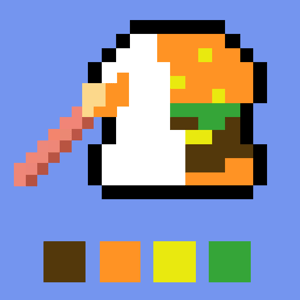
Your objective is straightforward: match the reference picture on the grid before time runs out. Each level hands you a pixelated template — a heart, a mushroom, a retro character, whatever the game throws at you — and a palette of colors. Your job is to fill in the correct squares with the correct shades.
On desktop, you'll use your mouse to click a color from the palette, then click or drag across the grid to paint. Most versions support click-and-drag for filling multiple squares quickly, which is a lifesaver on bigger grids. On mobile, it's all touch — tap to select a color, tap or swipe to fill. The interface is clean enough that you won't accidentally paint your whole canvas the wrong color, but you'll still want steady fingers.
Accuracy matters more than speed at first, but as levels ramp up, the timer becomes your real opponent. Finish the picture and you move on; botch too many squares and you'll be replaying the same grid.
1. Scan the outline first. Before you paint a single pixel, trace the edges of the shape mentally. Knowing where the borders are stops you from wasting time on empty squares.
2. Work color by color. Instead of painting square by square, fill every square of one color across the whole grid. It's way faster than switching palettes constantly.
3. Use the corners as anchors. Start from the top-left and work in rows. It keeps your eyes organized and prevents that "wait, did I already do this row?" panic.
Yes — it's a browser-based arcade game, so you can jump in without paying or downloading anything. Just load it and start painting.
Absolutely. The touch controls work well on mobile, though larger grids are a bit easier on a tablet or desktop screen.
It loads fast, runs on almost any device, and doesn't need Flash or special plugins — which makes it a go-to pick on unblocked games g, unblocked games g plus, and similar portals.